


Professional AI-based skin analysis
Focuskin
Advanced skin analysis.
Clearer consultation.
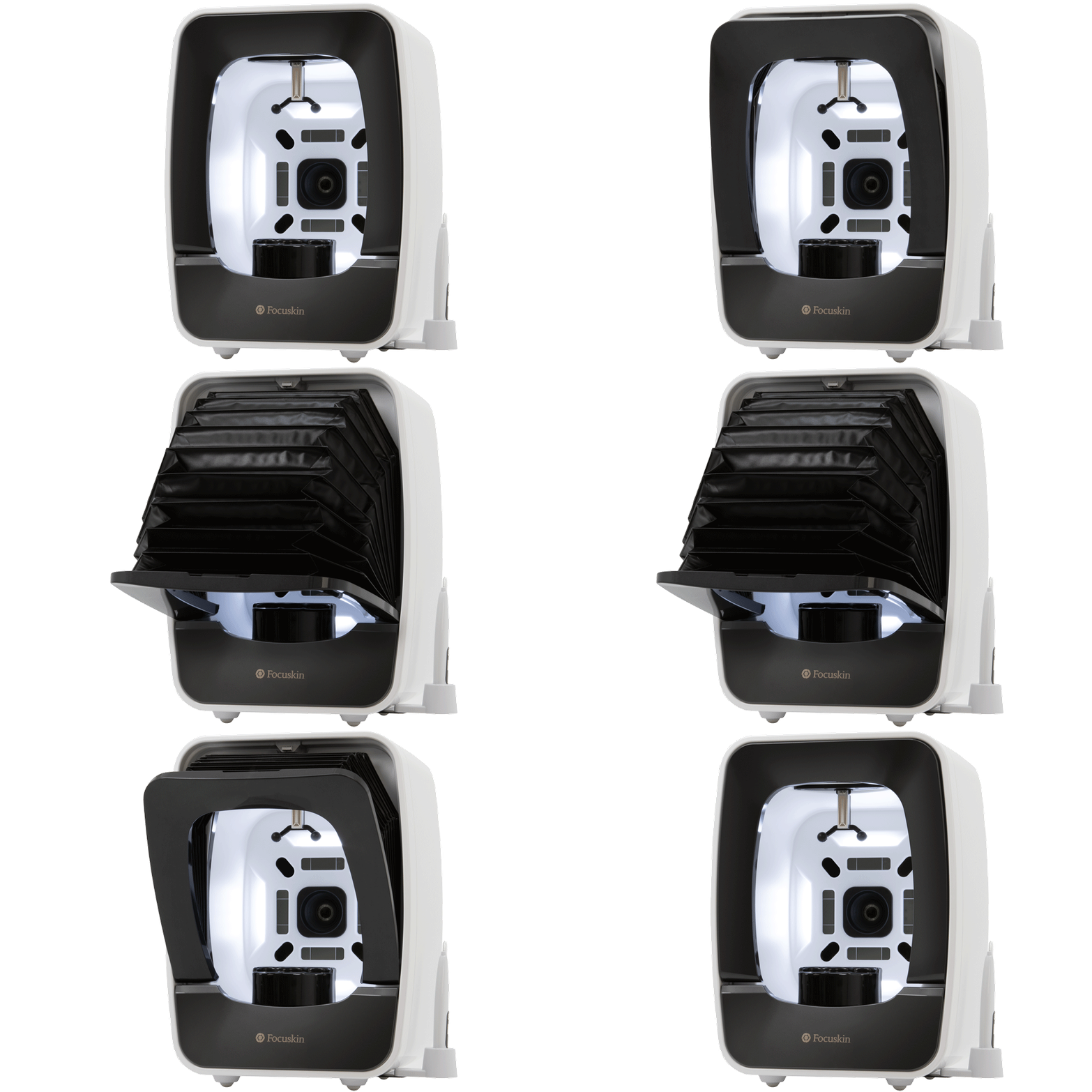
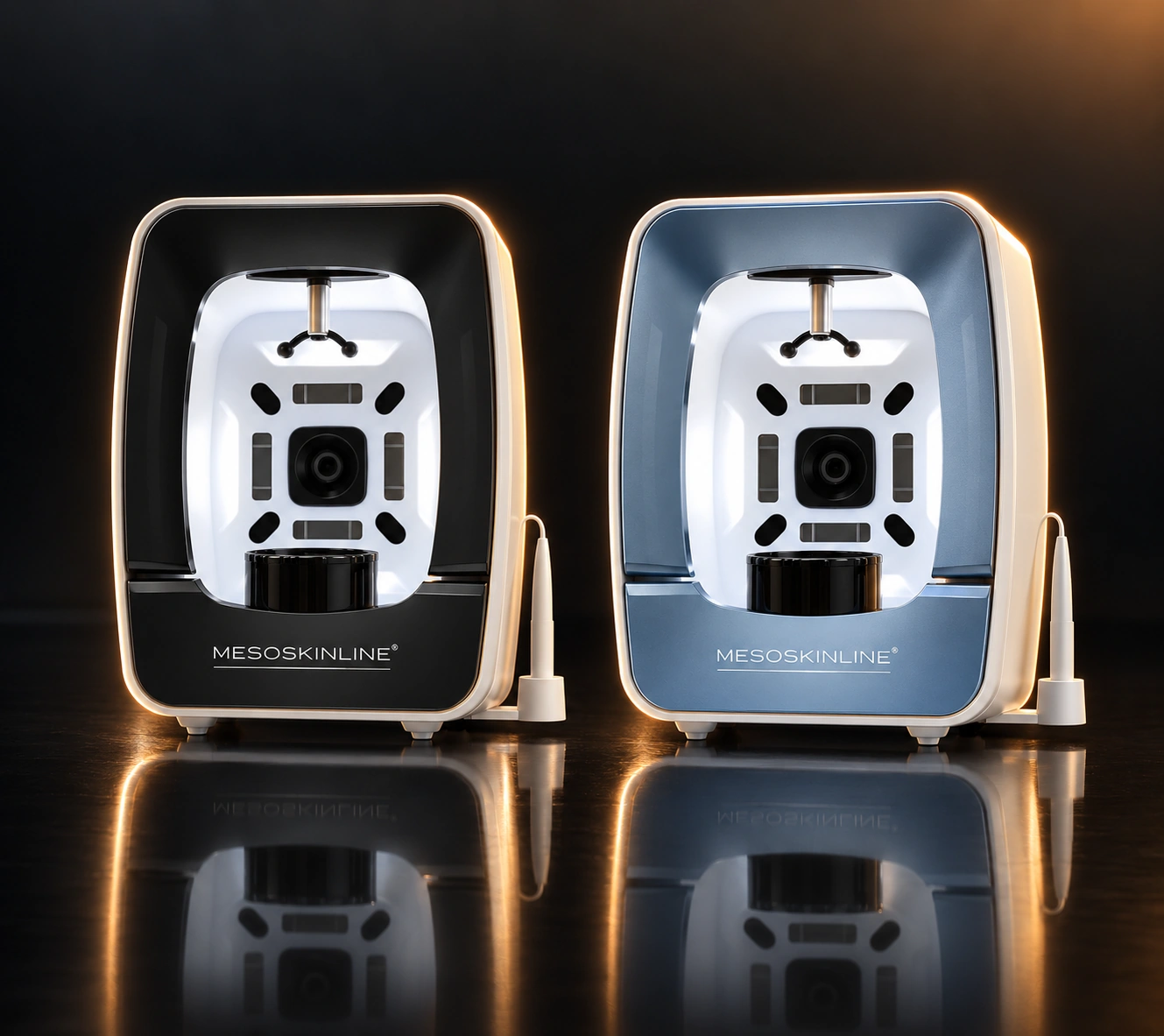
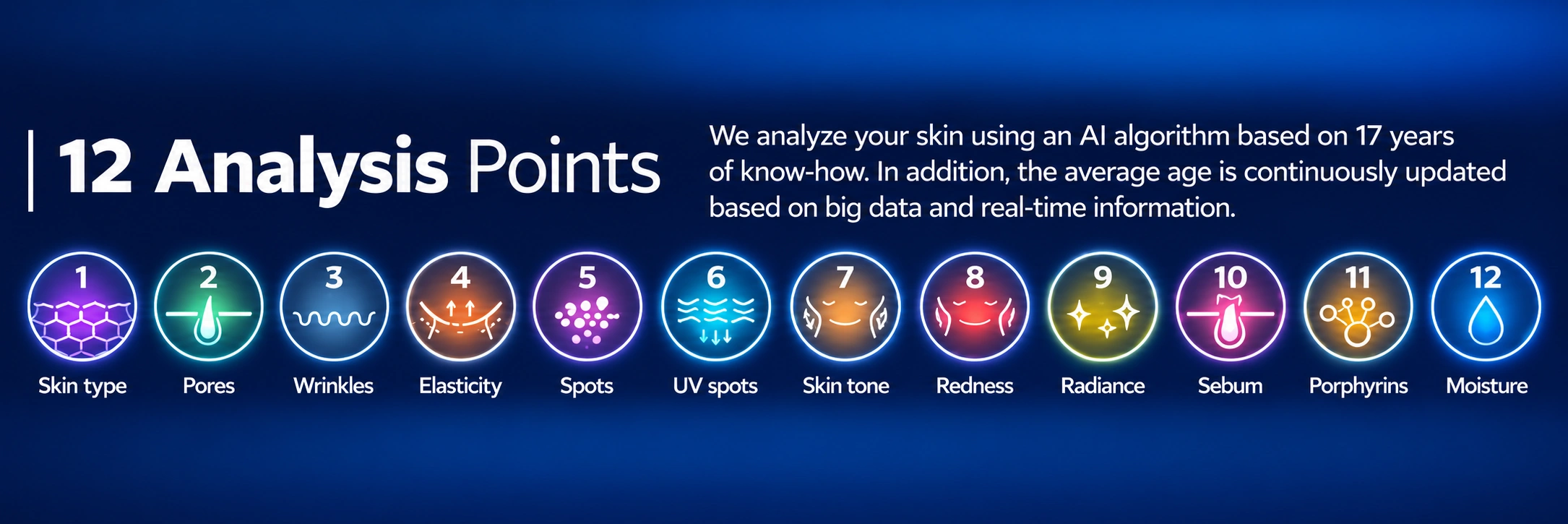
Focuskin is a professional facial skin analysis system that combines a 20-megapixel digital camera, SunLike LED, four light/filter settings and AI-based analysis of 12 skin parameters.
The system makes the skin’s current condition easy to understand visually and provides a structured basis for consultation, product guidance and follow-up throughout a treatment course.
- 20 MP
- Digital camera
- 12
- Analysis parameters
- 4
- Light/filter settings
- 24
- Software languages incl. English
01 · Introduction
A professional tool for modern skin consultations.
Focuskin enables clinics, skincare professionals, cosmetologists, educators and professional beauty retailers to make skin analysis more visual, consistent and data-based.
Show the client their skin
The different lighting modes and analysis views make it possible to present skin characteristics in a way that is easy for the client to understand.
Support the consultation
The analysis results can be used alongside your professional assessment when recommending treatments, products and home care.
Track progress
Current results can be compared with previous analyses so progress can be tracked throughout the client’s treatment course.
Colours and design
Obsidian & Aquamarine.
Focuskin is available in the elegant colours Obsidian and Aquamarine.
02 · Features
Designed for precise, consistent and intuitive skin analysis.
Focuskin combines optics, controlled lighting conditions and software in one system, allowing image capture, analysis and consultation to be completed in a clear, efficient workflow.

AI analysis based on skin data
Focuskin analyses 12 skin parameters. The manufacturer’s algorithm has been developed based on many years of experience with skin analysis and continuously uses age-based reference values derived from collected skin data.
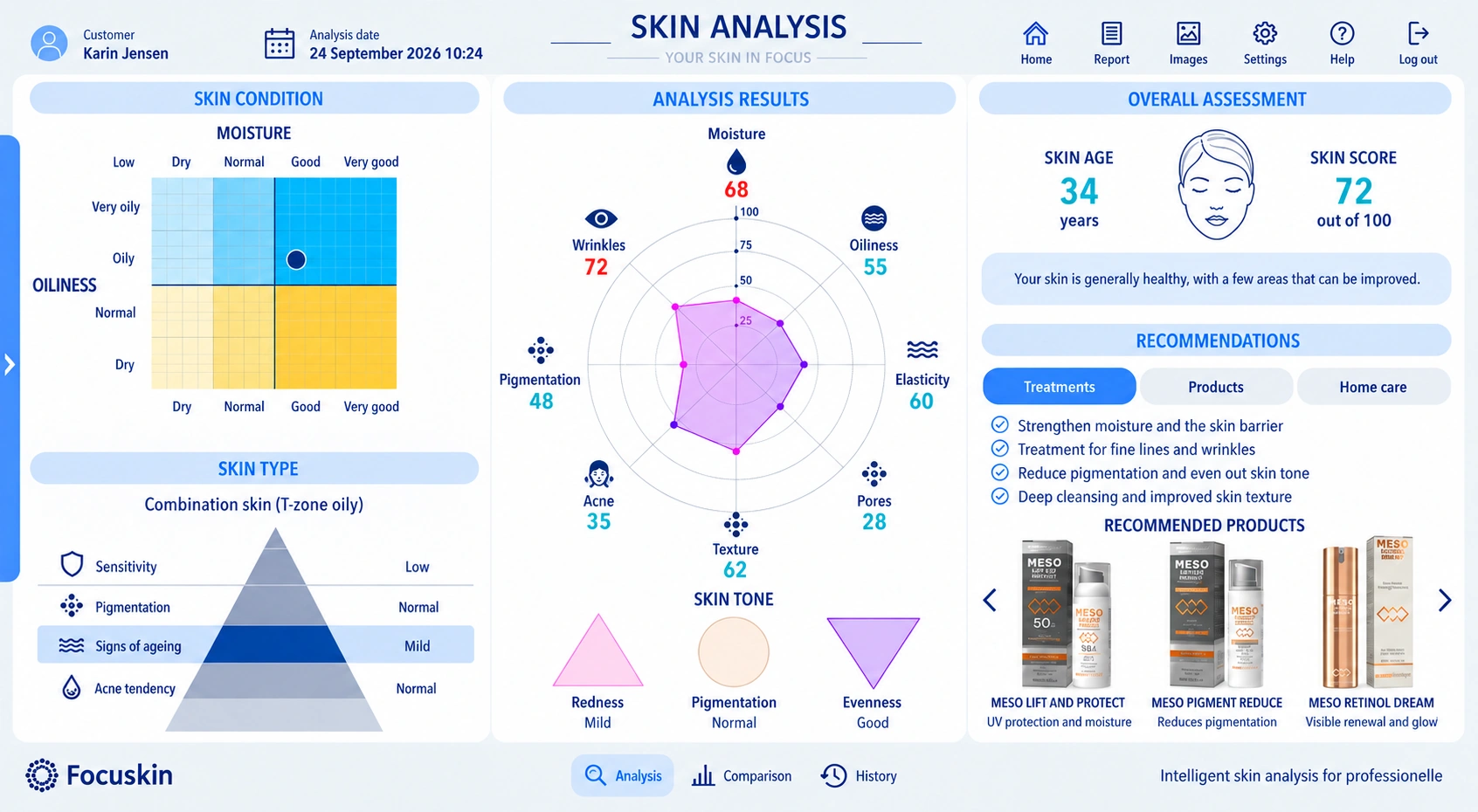
Intuitive software
The results are presented in a clear user interface, and the system can provide recommendations related to the identified skin parameters.
Enclosed imaging area
The foldable hood reduces the influence of ambient light, creating better conditions for consistent images during repeated consultations.
The hood is designed for easy operation and, according to the manufacturer, is made from dust- and water-repellent material.
Grey card for consistent light and colour
A grey card at the chin rest is used to control brightness and white balance, giving the images a more consistent visual baseline.
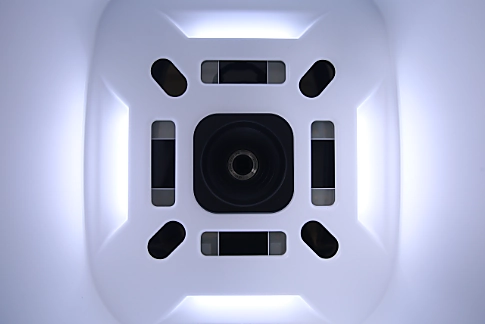
20 MP + SunLike LED
High-resolution imaging is combined with SunLike LED, UV light and four filters to visualise different characteristics of the skin.
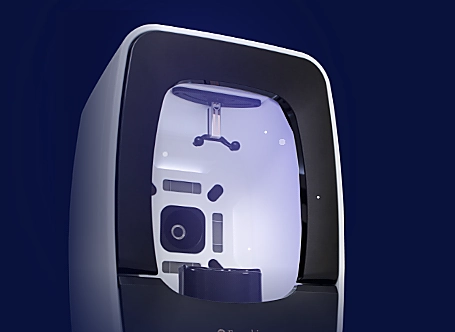
Integrated UV-A function
Focuskin has an integrated UV-A-based sterilisation function in the analysis area as part of the product’s hygiene concept.
SunLike LED
High colour rendering close to natural light.
SunLike LED is designed for high colour rendering and is used to photograph facial skin with skin tones closer to how they appear in natural light. The product documentation specifies CRI 95.
12 analysis parameters
03 · Functions
Technology that makes repeated analyses more comparable.
Focuskin uses automatic area detection, image processing and calibration to create a more structured basis for analysis.
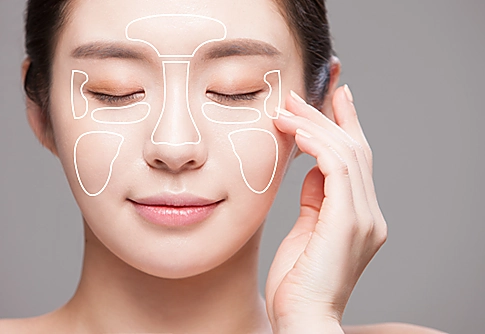
Area-based skin analysis
The face is divided into defined analysis areas. High-resolution image analysis is used to detect and quantify variations in the skin at pixel level.
Smart PIE facial recognition
The system’s PFR technology detects the face and automatically identifies relevant coordinates. The image angle can be corrected so the same part of the face can be compared more easily in later analyses.
Stores images from each analysis so progress can be tracked with clear before-and-after images showing improvements in the skin.
Analyses the skin and recommends the most suitable treatment and relevant products.
Brightness and colour control
The grey card is used as a reference for brightness and colour balance. During image capture, the system can detect lighting conditions and changes in the imaging environment.
Smart 3D Skin Analysis
2D images are processed using the manufacturer’s calculation algorithm and can be visualised in three dimensions. This function is particularly useful for displaying features such as pores and skin lines.
Automatic area selection
The software can automatically identify the areas to be included in the analysis.
Manual adjustment
The analysis areas can also be adjusted manually when the operator wants to refine their positioning.
Detailed view
Images from the different light sources can be viewed separately and examined in detail.
04 · Applications
From the first consultation to ongoing follow-up.
Focuskin can be used in professional skin clinics, beauty clinics, beauty retailers, academies and other environments where visual skin analysis forms part of the consultation.
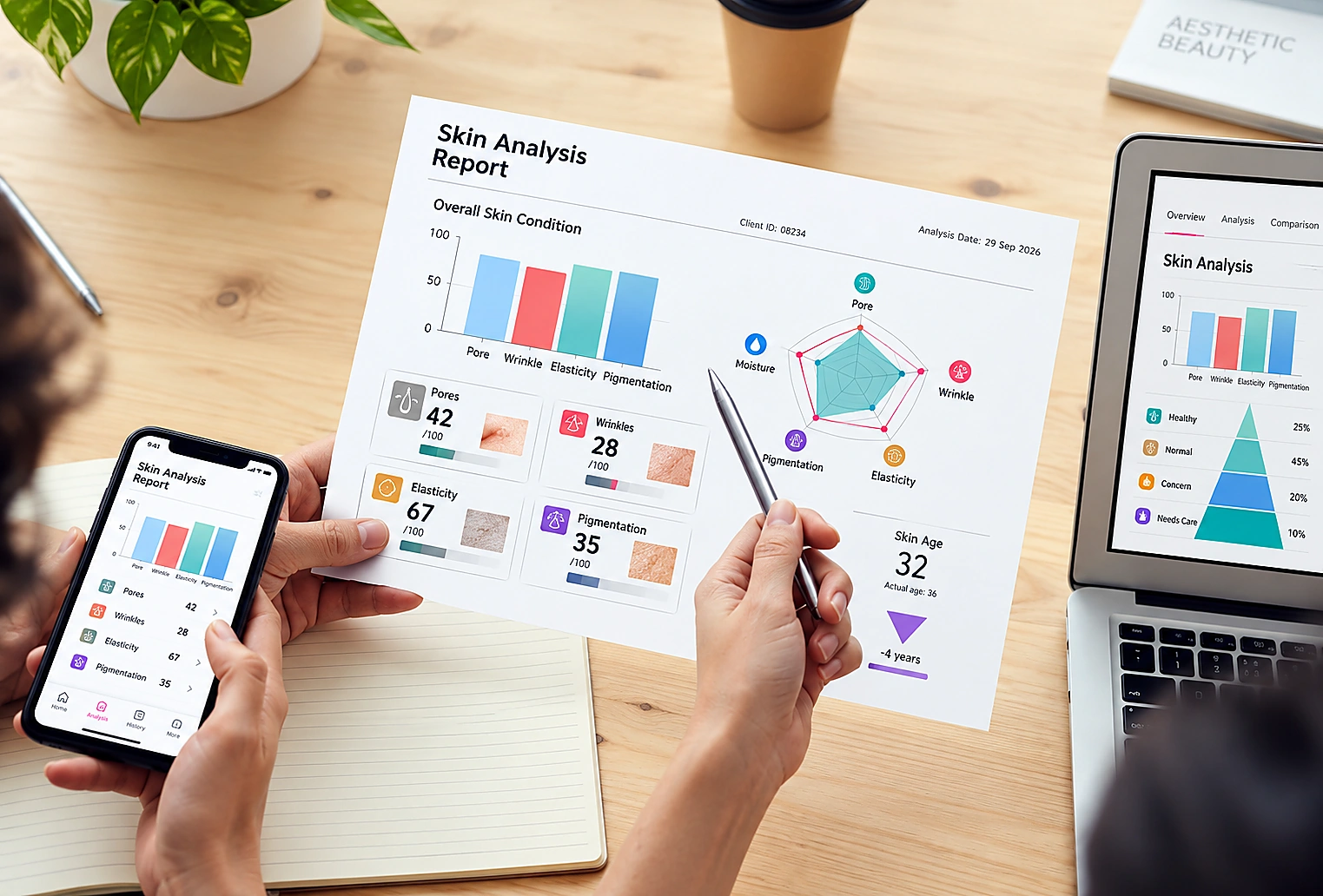
Professional consultation
A fast, visual analysis can make the consultation more efficient and help explain why specific treatments or products are recommended.
Personalised product guidance
The results serve as a data-based supplement to the professional skin assessment and provide a solid basis for more precise and individually tailored recommendations.
The analysis identifies the skin’s current condition and highlights relevant problem areas, after which the system can support the selection of the most relevant professional treatments, in-clinic products and targeted home-care products.
This allows the client to receive a complete treatment plan that combines in-clinic treatment with the appropriate daily home care.
This makes it easier to select products and treatment courses based on concrete data rather than visual assessment alone. With subsequent analyses, progress can also be documented and compared, allowing the treatment plan to be adjusted continuously in line with the skin’s needs and the results achieved.
Personal colour analysis
Focuskin includes a personal colour guidance function, where colours can be matched to the client’s skin tone and grouped according to seasonal colour profiles.
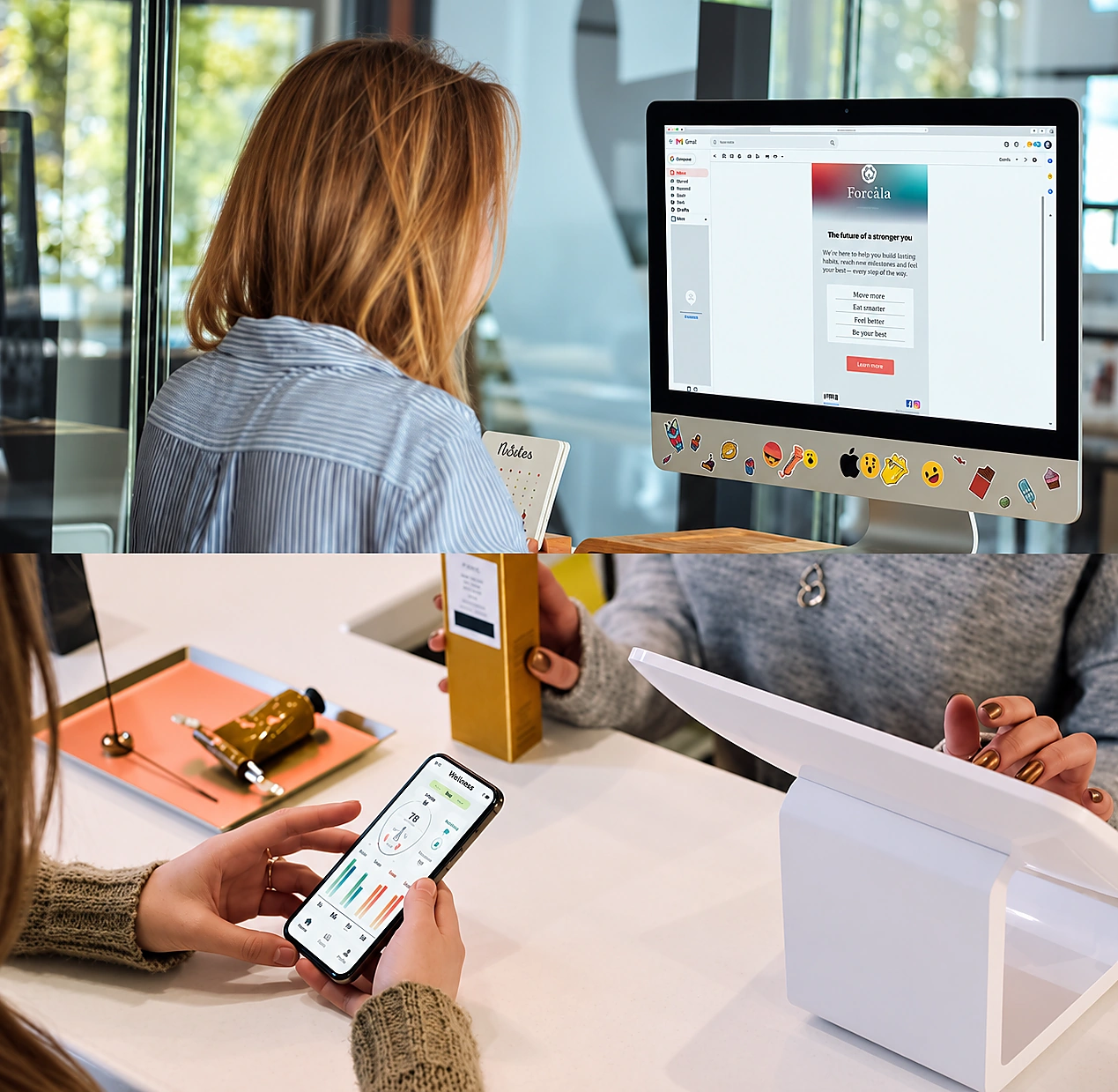
Results on mobile and web
The client can access analysis results digitally. The product documentation also describes a free Android app for viewing results and recommended products.
Before / after
Show progress over time.
Compare the current analysis with previous images – both as an overall result and for each individual analysis parameter. This makes follow-up more tangible for both practitioner and client.
05 · Specifications
Technical data.
All key technical specifications presented in a compact and easy-to-read format.
Technical specifications may change as part of the manufacturer’s ongoing product and software updates.
06 · Software
From image capture to detailed results.
The Focuskin software guides the operator through image capture, selection of analysis areas, overall results, detailed analyses and comparison with previous visits.
1. New image capture
The client’s face is photographed four times using the system’s different lighting/imaging modes. Moisture measurement can be included in the same workflow.
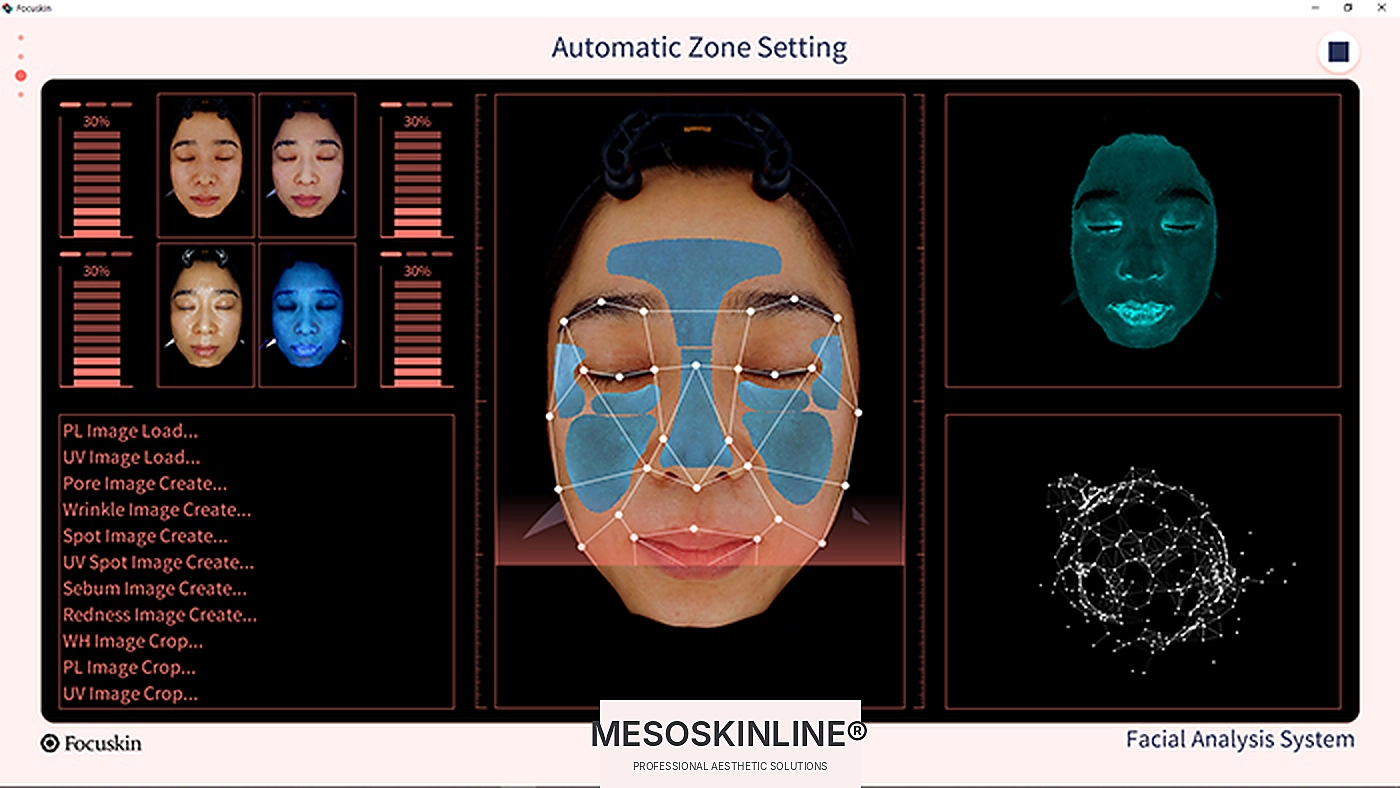
2. Automatic area setting
The software can automatically detect the face and position the relevant analysis areas.
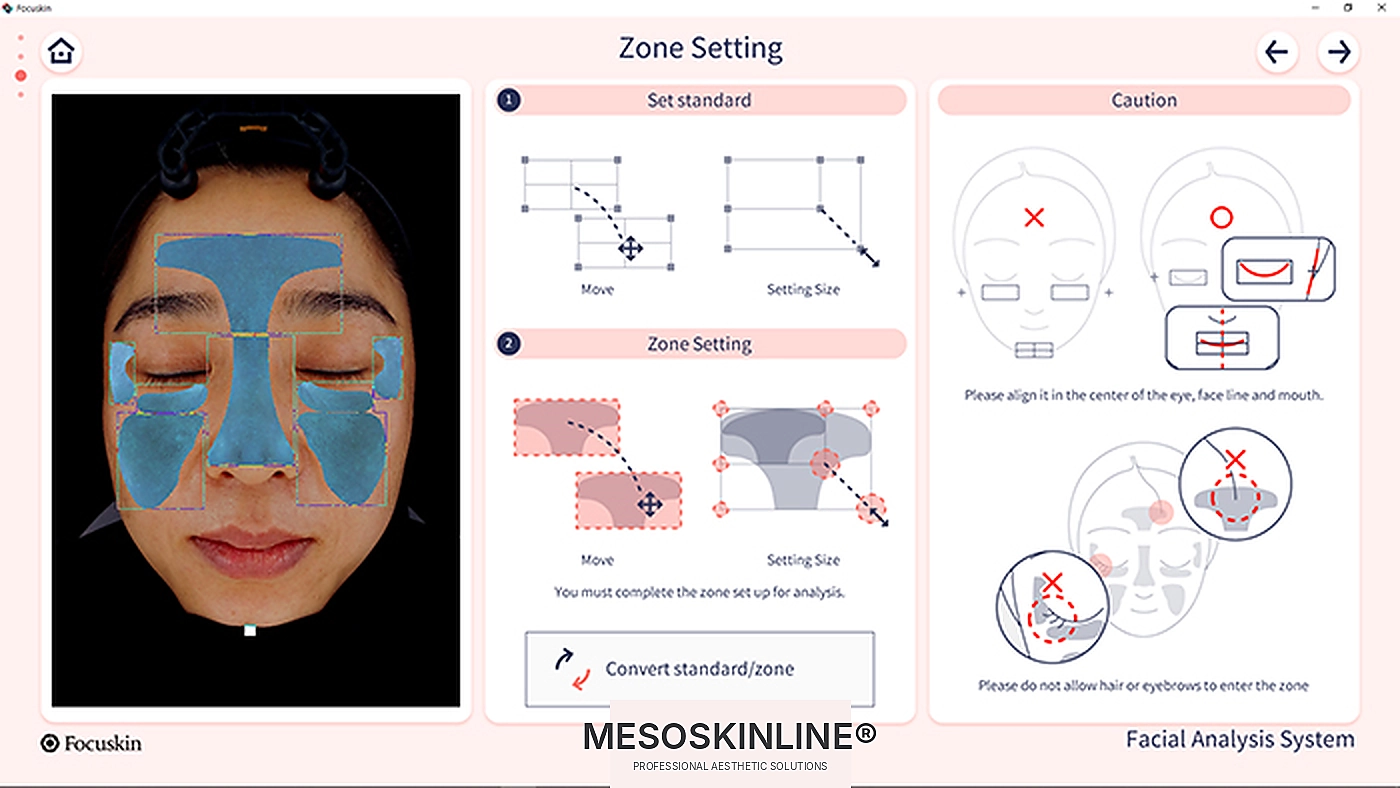
3. Manual area setting
The operator can manually adjust the position and size of the analysis areas as needed.
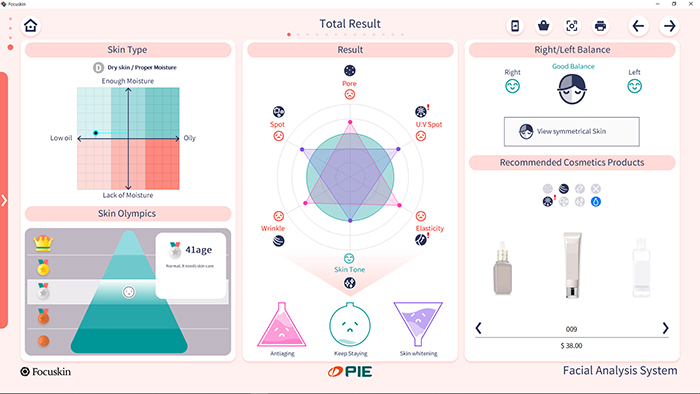
4. Overall result
The client’s skin analysis is presented as an overall result with the key findings, skin profile and relevant product recommendations.
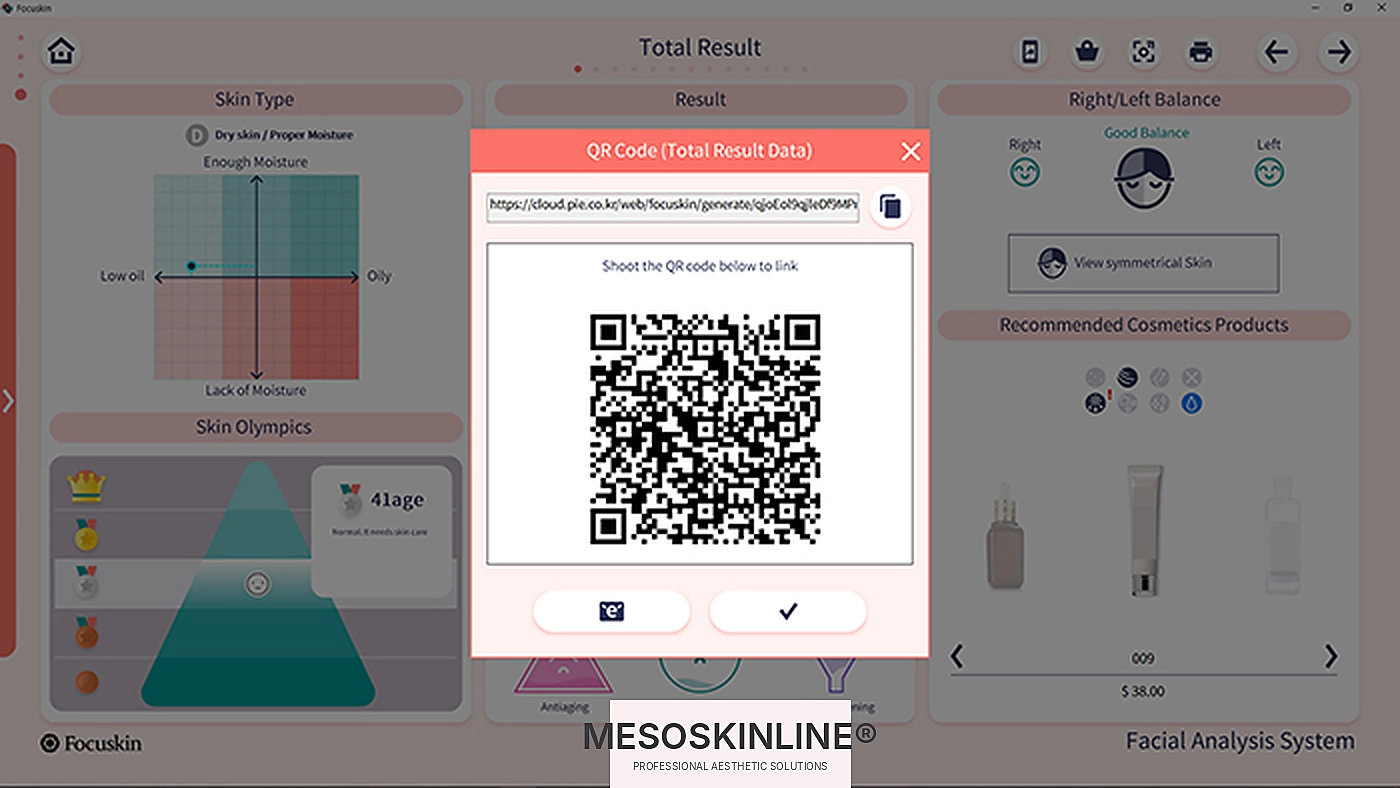
5. Share the result
The result can be made available digitally via QR code and web page, allowing the client to view the analysis after the consultation.
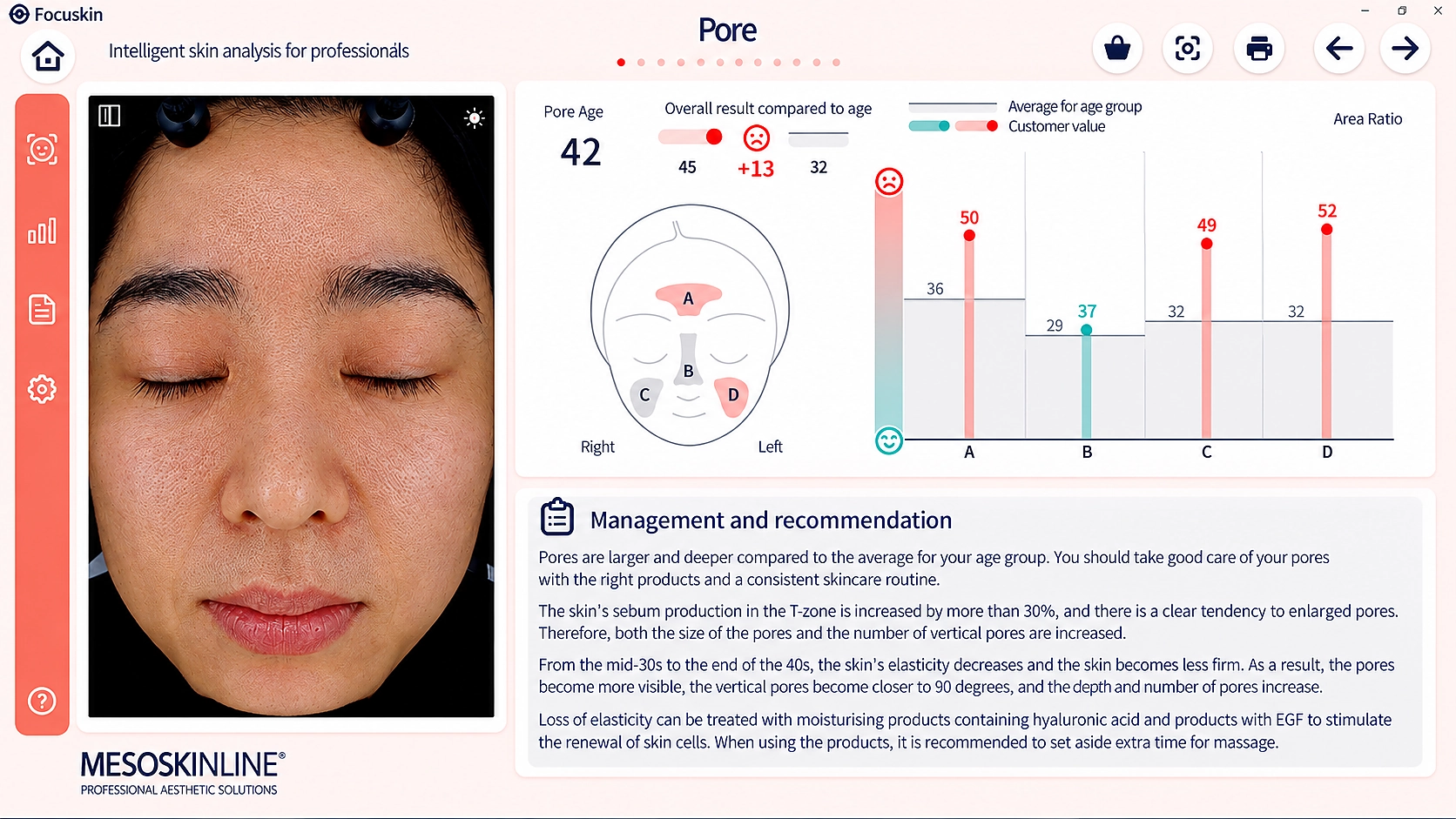
6. Pores
Detailed pore view with area-based values and visual comparison.
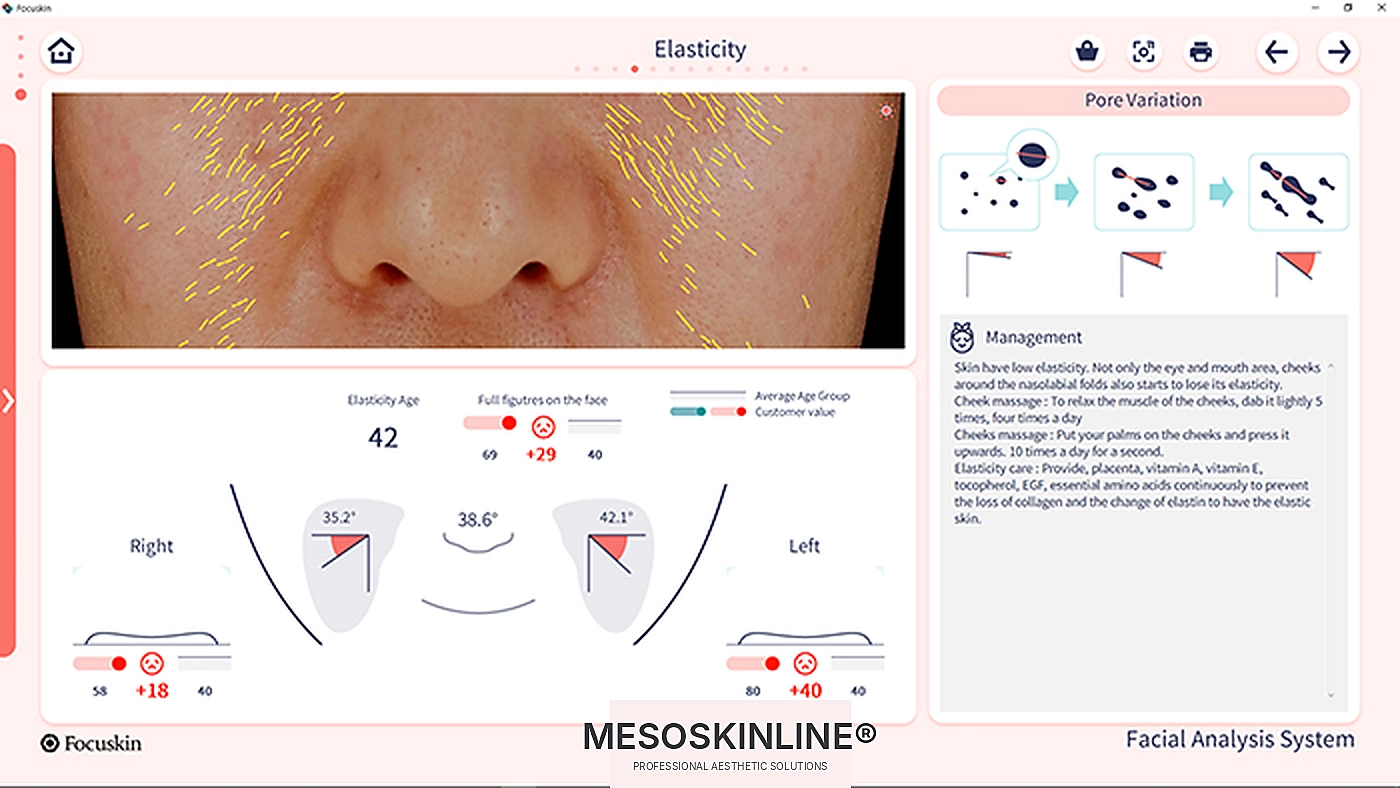
7. Elasticity
Image-based analysis and visualisation of skin elasticity in selected facial areas.
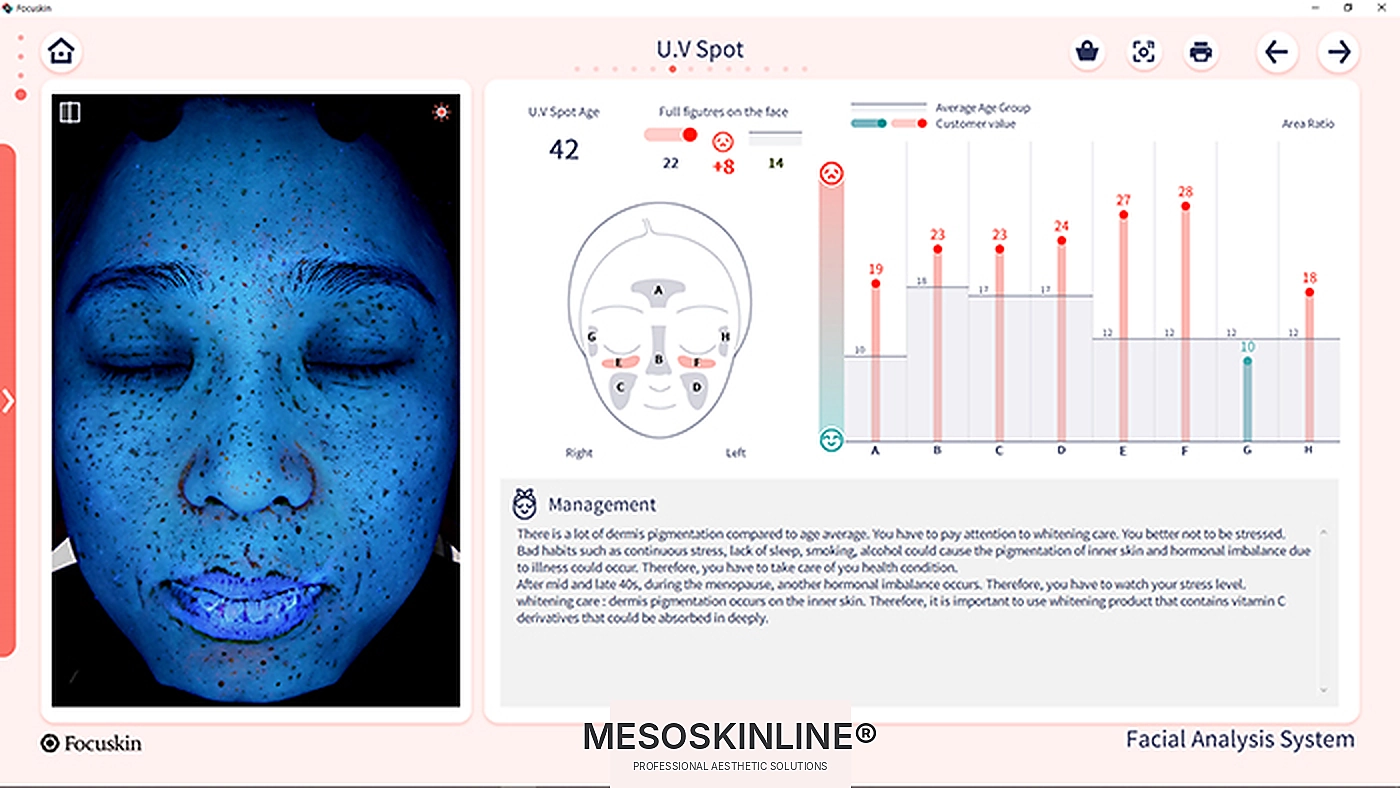
8. UV pigmentation
UV imaging is used to visualise pigmentation that appears clearly under UV light.
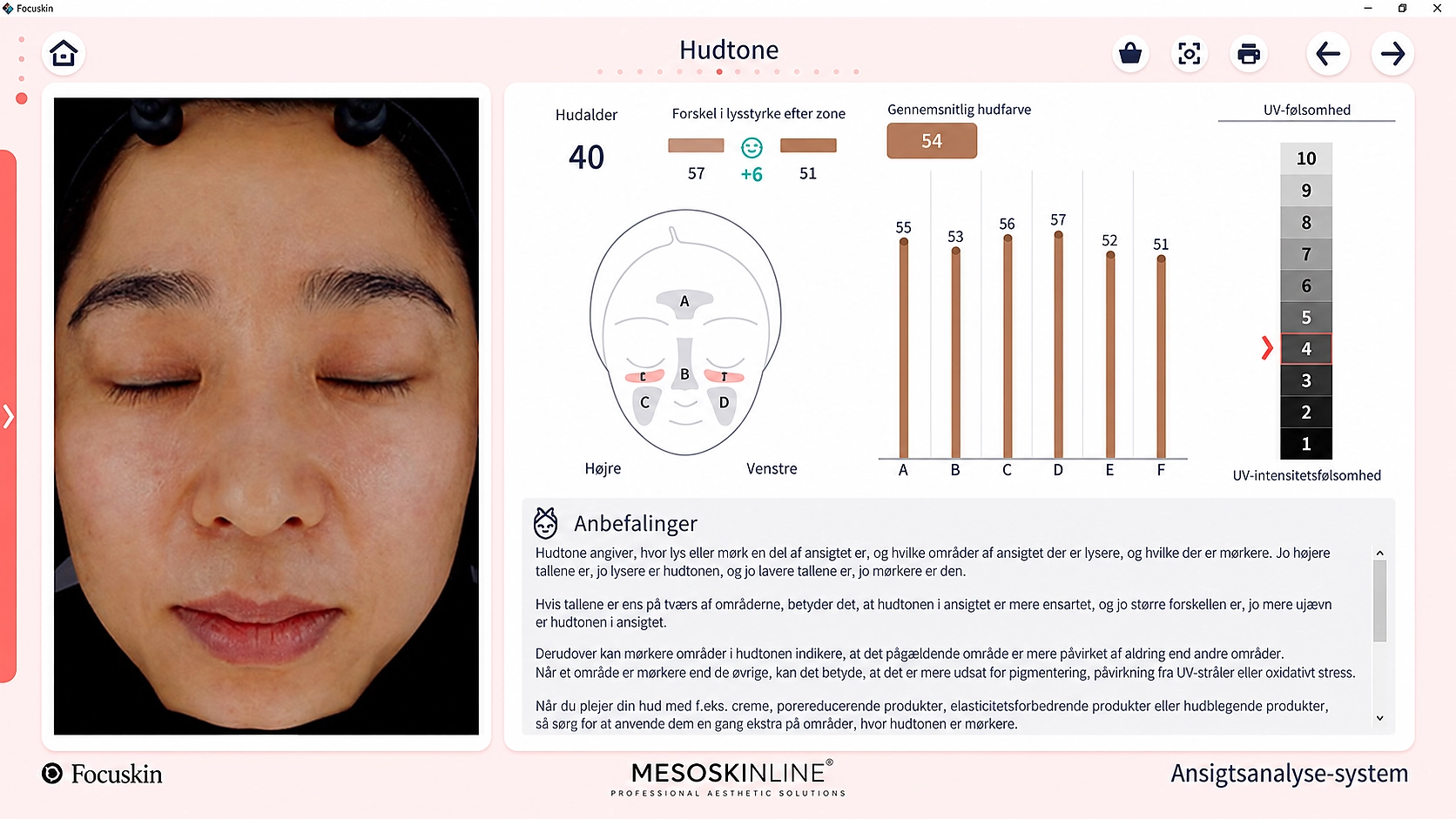
9. Skin tone
The software compares lighter and darker areas and shows variations in skin tone.
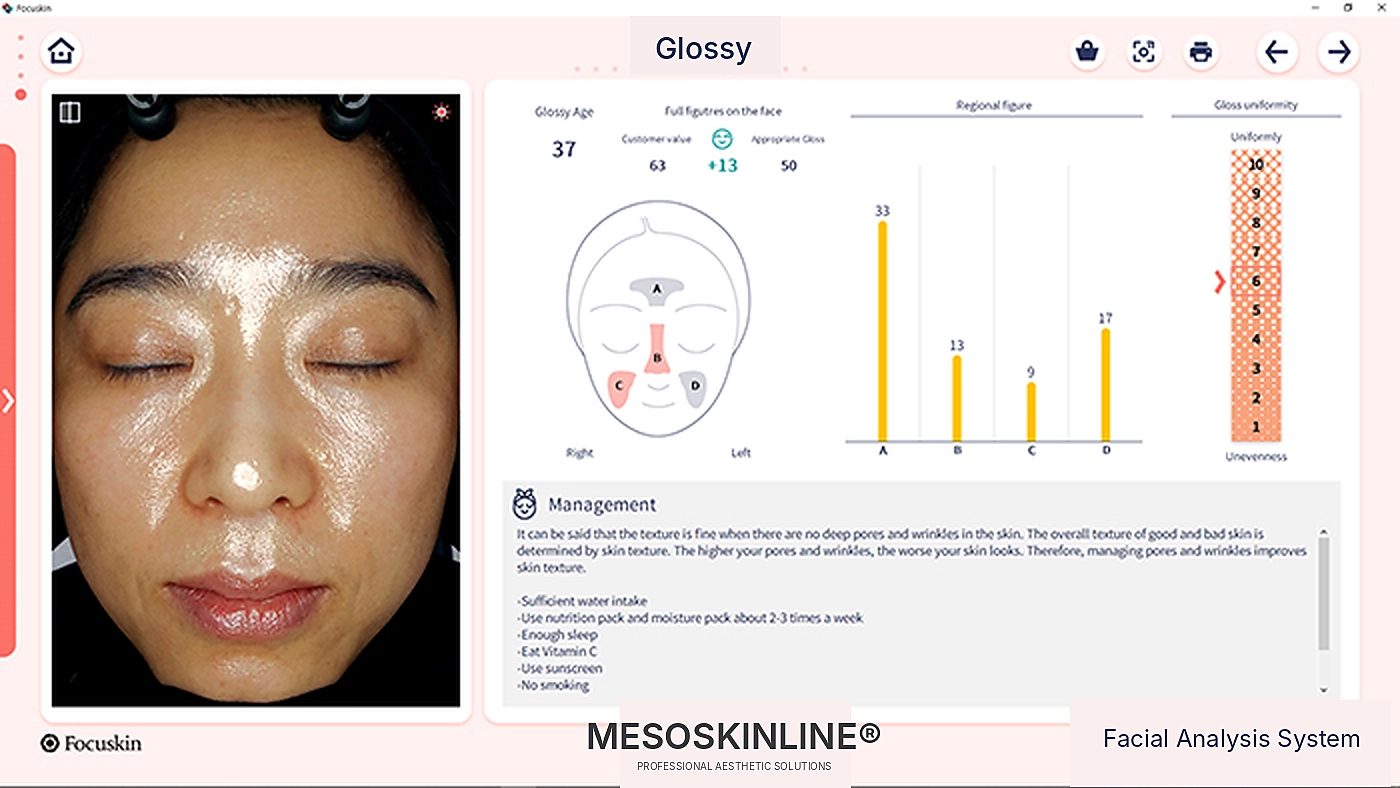
10. Gloss
Skin gloss is analysed and visualised across defined areas of the face.
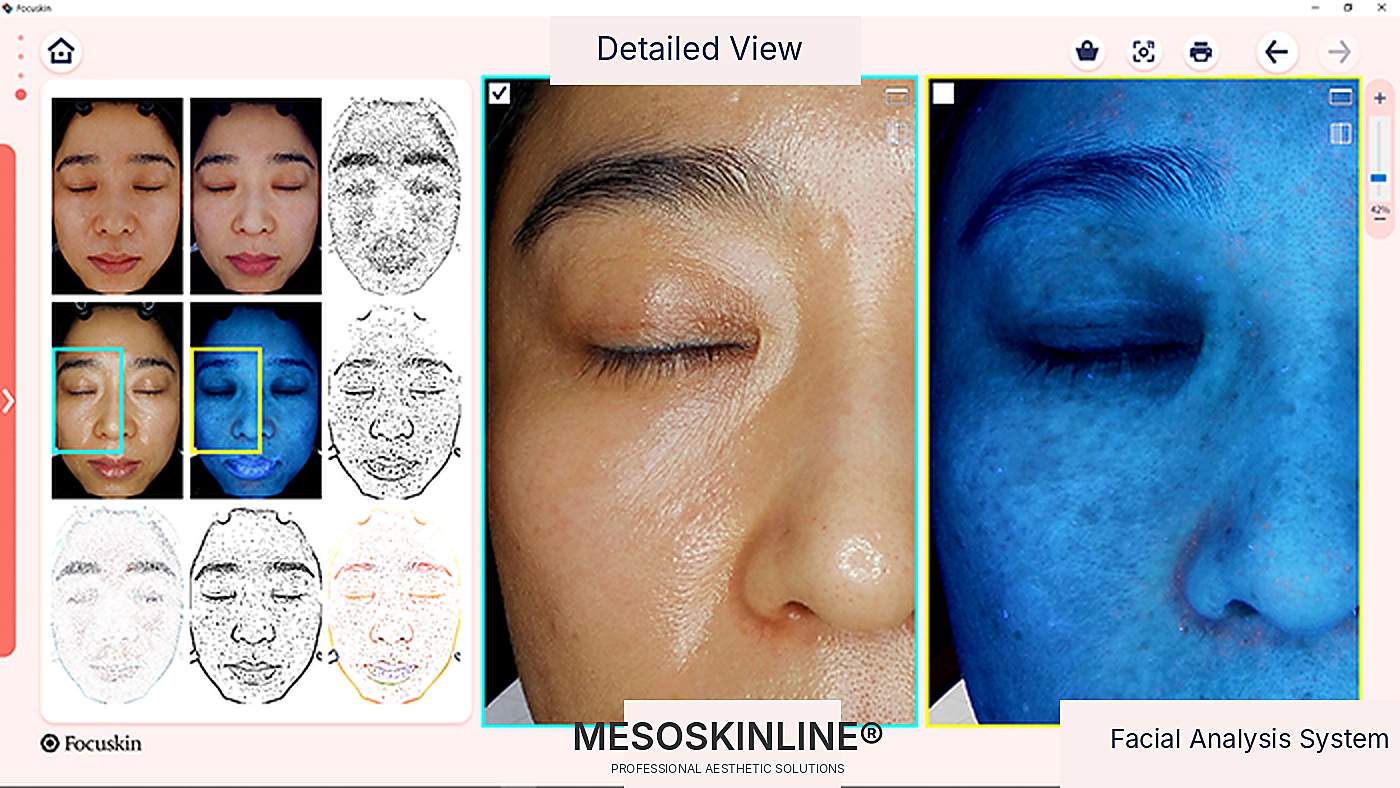
11. Detailed view
Images from the individual light sources can be opened side by side and examined in high detail.
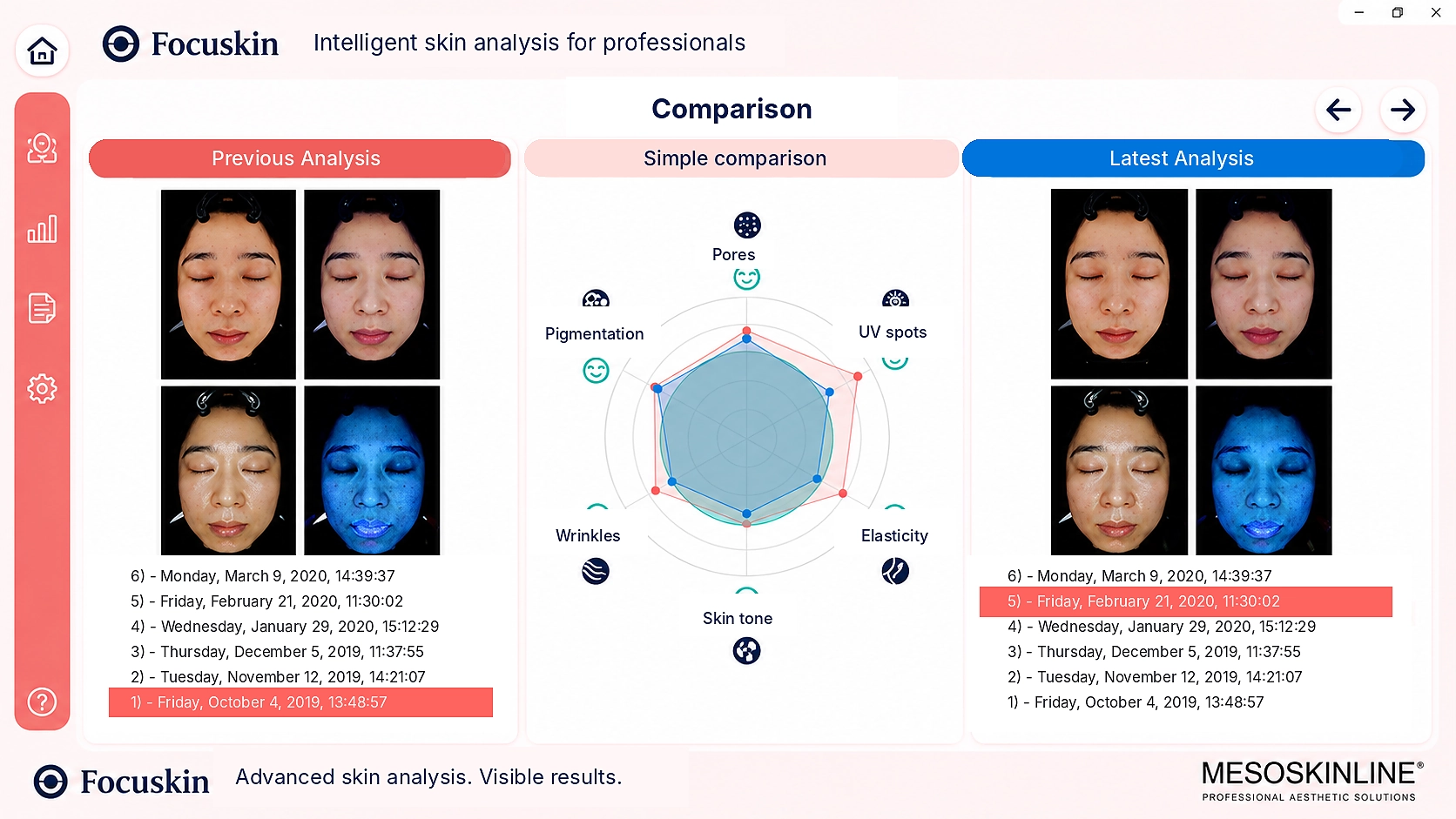
12. Comparison analysis
Current results can be compared directly with a previous analysis to visualise changes over time.
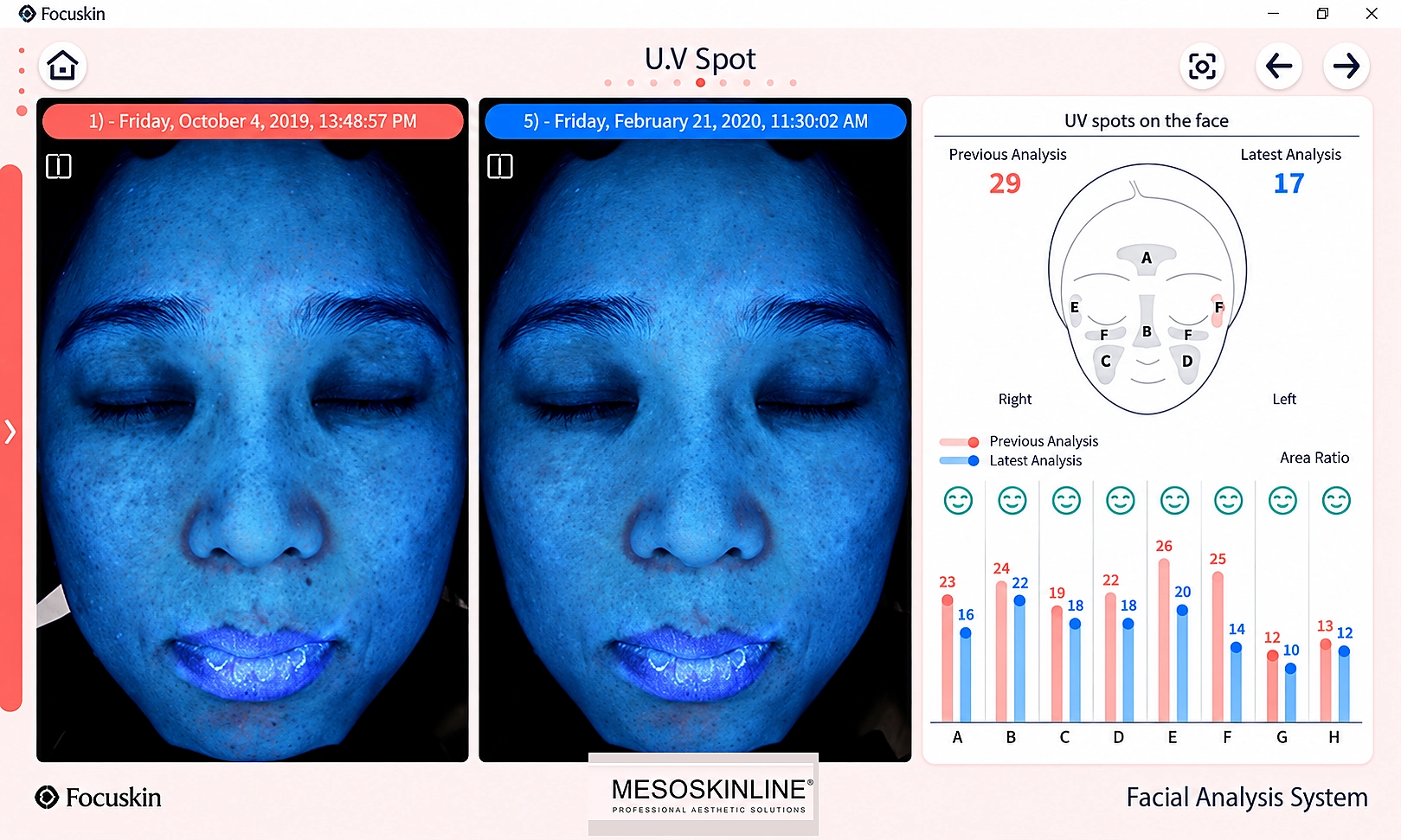
13. Comparison by analysis parameter
Progress can also be assessed for each individual analysis parameter, for example UV pigmentation.
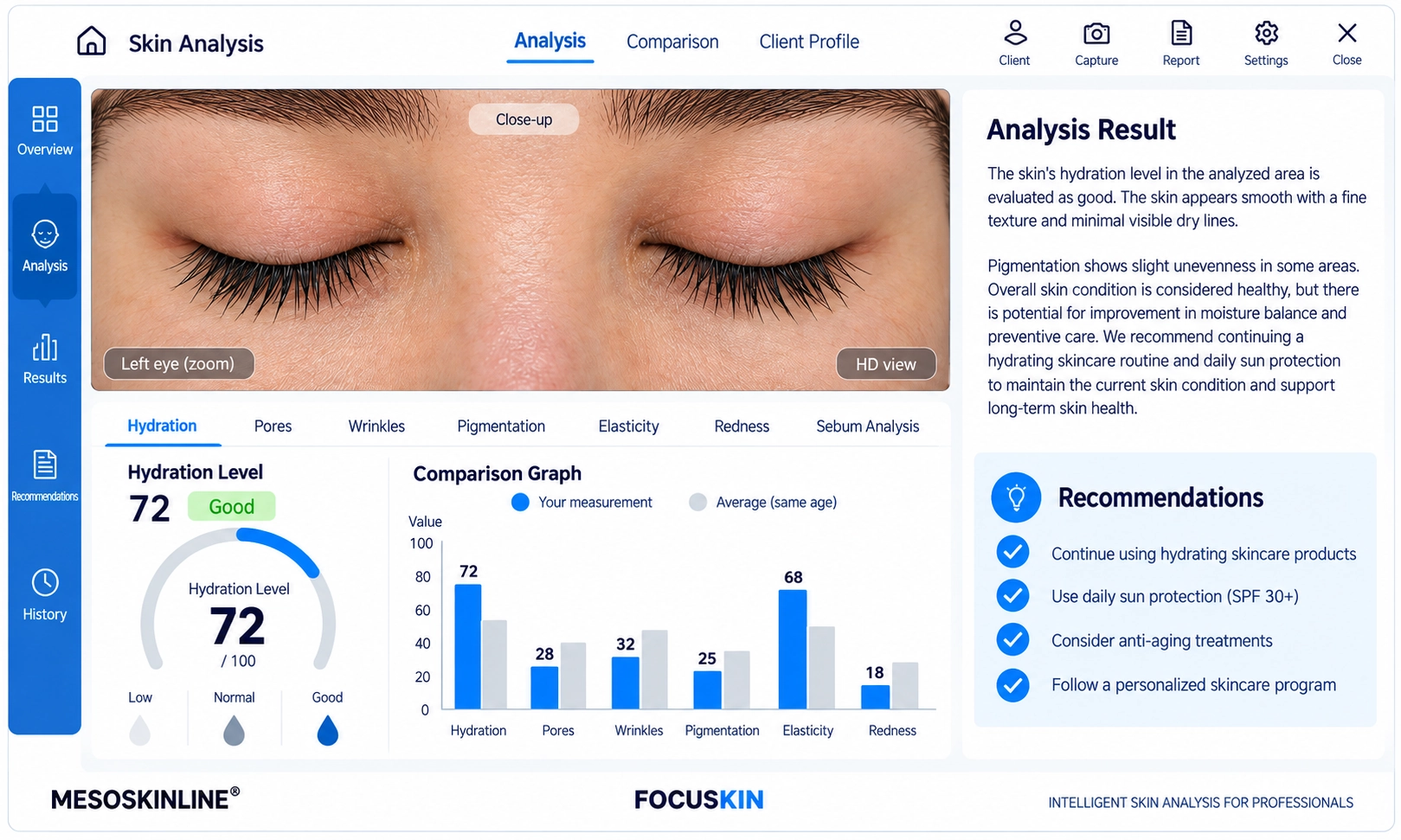
14. Wrinkles
Detailed visualisation and analysis of lines and wrinkles in the selected facial area, with the ability to track progress over time and clearly document reduction using before-and-after images.
Personal colour
The software can suggest personal colours based on skin tone.
Product recommendations
Products can be linked to the analysis results and incorporated into the professional consultation.
Client data
Client profiles and previous analyses can be used as a basis for continuous follow-up.
Mobile view
Results can be made available digitally, and the product documentation describes an Android app for the client.
Automatic updates
The manufacturer continuously updates the software with new functions and software improvements.
English language
English is among the 24 software languages supported by Focuskin.